Making Simple Mini Splits Smarter
TL;DR: Control IR-only Fujitsu mini splits from Home Assistant using an Athom IR device running ESPHome, eliminating the need for ugly wall-mounted remotes.
Disclosure: Some links on this page are affiliate links. If you purchase through these links, I may earn a small commission at no extra cost to you.
Mini Split Prerequisites
- Athom IR device (or similar ESP-based IR transmitter/receiver)
- IR-controlled mini split (Fujitsu or other supported brand)
- Home Assistant with ESPHome add-on installed
- Temperature sensor in same room (thermostat, Ecobee sensor, or BME280)
- Clear line of sight between IR device and mini split
I have 2 Fujitsu ASU9RMLQ heat pump mini splits in my house, as well as 5 thermostats for the whole home heating system, equaling 7 climate devices currently in total! To make management of all these devices easier, the goal was to add everything to Home Assistant. The thermostats were relatively easy, I ran new wires to the 3 downstairs thermostats, they were all 2 conductor wires previously, ran 7 conductor wires – which is probably overkill, but now there’s room to grow just in case. Upstairs would be much more difficult wire runs, so for those 2 thermostats I purchased Fast-Stat Common Makers for the time being.
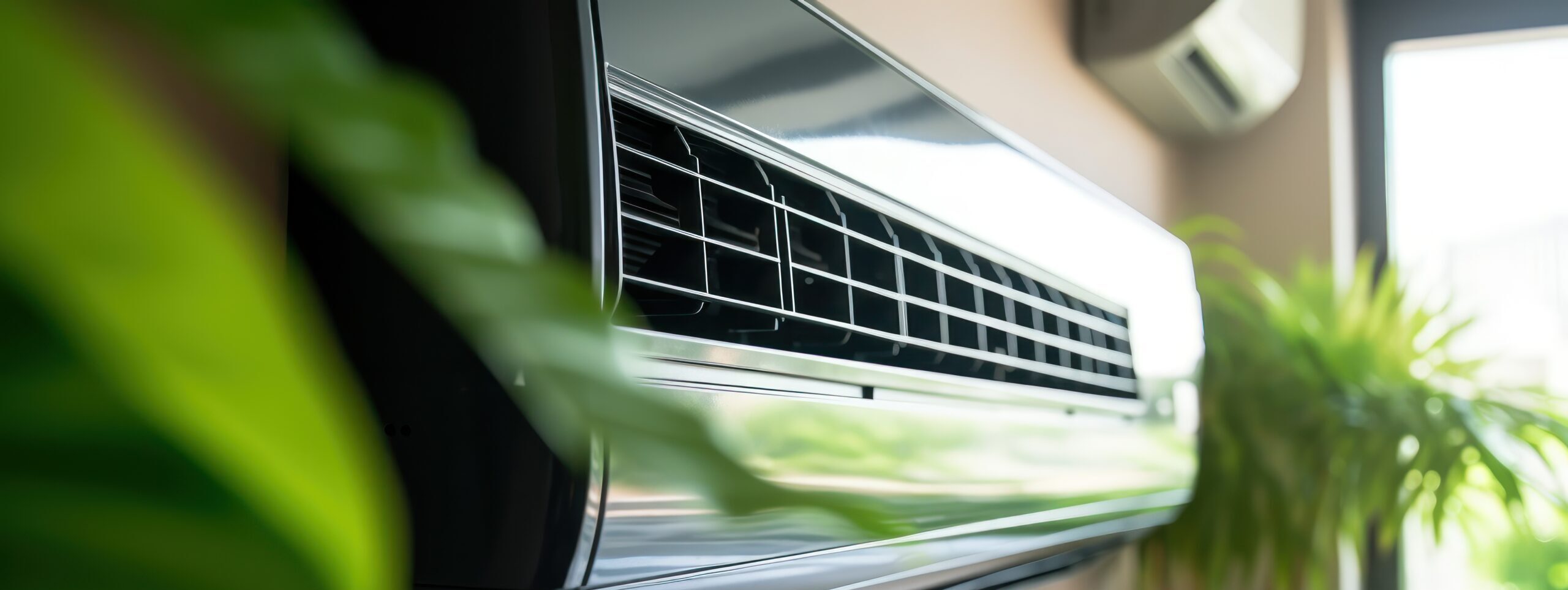
Now, onto the fun of the mini splits… They both had some very ugly IR remotes mounted on the walls, which were the only methods of control. Other Fujitsu mini splits do offer additional components that can be purchased to allow communication with thermostats, this model lacks that support. Those add-on devices are also very expensive. Enter the ESPHome remote transmitter and remote receiver functionality. There are plenty of options to purchase ESP boards and add-on IR boards, however I wanted something much neater, as these were going to be visible in living spaces. The best option I found was the Athom IR Controller. This blends in fairly well in the house, while being able to be placed on furniture that has clear line of sight to the mini split.
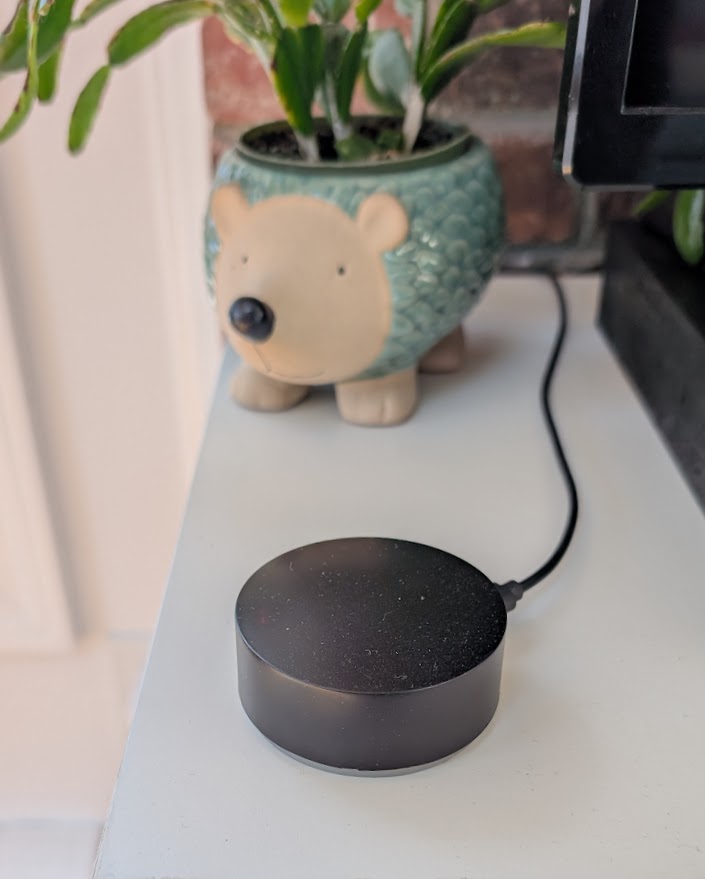
This device ships with Tasmota, previously it also has been available with ESPHome natively. But this is easy enough to fix.
Mini Split Home Assistant Configuration
Find the right climate platform from the ESPHome IR Remote Climate page. For my fujitsu, the platform gets set to fujitsu_general. The downside of this setup is Home Assistant climate devices need a temperature sensor as part of their configuration, however the Athom IR device will not read local temperature. If you build your own ESP device this can easily be solved for with a BME280 or similar. In my case, having so many thermostats meant that I can use temperature readings from thermostats in the same room as the mini split, or add on an Ecobee temperature sensor in that room.
For my sun room I also have an Ecobee thermostat, so I used the sensor.YOUR_ROOM_THERMOSTAT_TEMPERATURE sensor from that thermostat in the yaml file on the new mini split climate device:
    id: ha_temperature
    name: "Sun Room Temperature"
entity_id: sensor.YOUR_ROOM_THERMOSTAT_TEMPERATURE Due to the way the remotes operate, if I update a setting via Home Assistant, this change will not be reflected on the remote’s screen. The remote is only listening for updates from the mini split after it sends a command. However, the Home Assistant IR device is always listening, so if I send an update via the remote or via HA, this updates on the HA device. Given how infrequently we change settings on the mini splits, the remotes just live in cabinets now, nicely out of sight and we make all the changes via the Home Assistant dashboard.
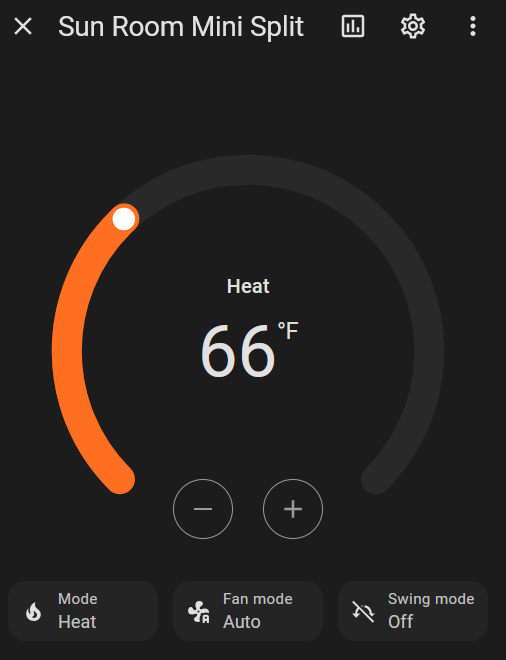
Here’s my full ESPHome YAML:
substitutions:
name: sunroom-ir-remote
friendly_name: Sunroom IR Remote
esphome:
name: ${name}
friendly_name: ${friendly_name}
min_version: 2024.6.0
name_add_mac_suffix: false
project:
name: esphome.web
version: '1.0'
esp8266:
board: esp8285
restore_from_flash: true
# Enable logging
logger:
# Enable Home Assistant API
api:
encryption:
key: #your encryption key#
# Allow Over-The-Air updates
ota:
- platform: esphome
# Allow provisioning Wi-Fi via serial
improv_serial:
wifi:
ssid: !secret wifi_ssid
password: !secret wifi_password
captive_portal:
sensor:
- platform: wifi_signal
name: "${friendly_name} WiFi Signal"
update_interval: 60s
- platform: uptime
name: "${friendly_name} Uptime"
- platform: homeassistant
    id: ha_temperature
    name: "Sun Room Temperature"
    entity_id: sensor.YOUR_ROOM_THERMOSTAT_TEMPERATURE
- platform: template
id: sunroom_temp
lambda: !lambda |-
return (id(ha_temperature).state - 32) * 5/9;
update_interval: 30s
text_sensor:
- platform: wifi_info
ip_address:
name: "${friendly_name} IP Address"
disabled_by_default: true
ssid:
name: "${friendly_name} SSID"
bssid:
name: "${friendly_name} BSSID"
mac_address:
name: "${friendly_name} Mac Wifi Address"
switch:
- platform: restart
name: "${friendly_name} restart"
binary_sensor:
- platform: status
name: "${friendly_name} IR Status"
- platform: gpio
pin: GPIO0
id: physical_button
status_led:
pin: GPIO13
remote_transmitter:
pin:
number: GPIO4
carrier_duty_percent: 50%
remote_receiver:
id: sunroom_rcvr
pin:
number: GPIO5
inverted: true
mode:
input: true
pullup: true
# high 55% tolerance is recommended for some remote control units
tolerance: 55%
climate:
- platform: fujitsu_general
name: "Sun Room Mini Split"
receiver_id: sunroom_rcvr
sensor: sunroom_temp
visual:
temperature_step: 1.0
min_temperature: 10
max_temperature: 36Mini Split System Overview
Your setup will now:
- ✅ Control your mini split from Home Assistant dashboard
- ✅ Receive IR commands from original remote (stays in sync)
- ✅ Display current room temperature from your thermostat
- ✅ Support all modes: heat, cool, dry, fan, auto
- ✅ Work with Home Assistant automations and schedules
- ✅ Eliminate need for wall-mounted IR remotes
Useful Links:
GitHub Config Files – Sanitized configuration files from this tutorial
ESPHome Remote Transmitter – IR transmitter documentation
ESPHome Remote Receiver – IR receiver documentation
ESPHome IR Climate – Supported AC/heat pump brands
Tasmota to ESPHome Migration – How to flash ESPHome
Hardware:
Athom IR Controller: AliExpress, Athom
Fast-Stat Common Makers: SupplyHouse
Related Posts:
Monitoring Energy Usage in Home Assistant – Track energy with RTL-SDR